
Set Up Delivery
Tell RTOSafe which units you actually deliver for each qualification, skill set, or accredited course. This helps RTOSafe show the right units when assigning scope to staff and setting up validation strategies.
Your scope is synced from training.gov.au automatically, so new qualifications and skill sets appear here ready for setup.
Setting Up a Qualification or Skill Set
Go to Scope and select the Needs Setup tab
Click Start Setup next to the qualification or skill set you want to configure
Add the units or modules you deliver by selecting them from the dropdown
When you’ve added all the units you deliver, click Complete Setup
Got a lot of qualifications to set up? Contact support and we can help configure these in bulk.
Delivery Streams
RTOSafe supports multiple delivery streams if you deliver qualifications in different ways (e.g., aged care vs disability). Click Add Stream to create additional streams.
Skill Sets You Don’t Deliver
Training.gov.au sometimes adds skill sets to your scope that you don’t actually deliver — usually because they come along automatically with units you teach.
If you don’t deliver a skill set, mark it as not delivered. RTOSafe will leave it out of your setup workflows and validation reports, and move it to the Inactive Scope tab. You can change your mind any time.
This option is only for skill sets. Qualifications and accredited courses always need delivery setup and a validation strategy.
Open the skill set from Scope and click the three dots at the top of the sidebar
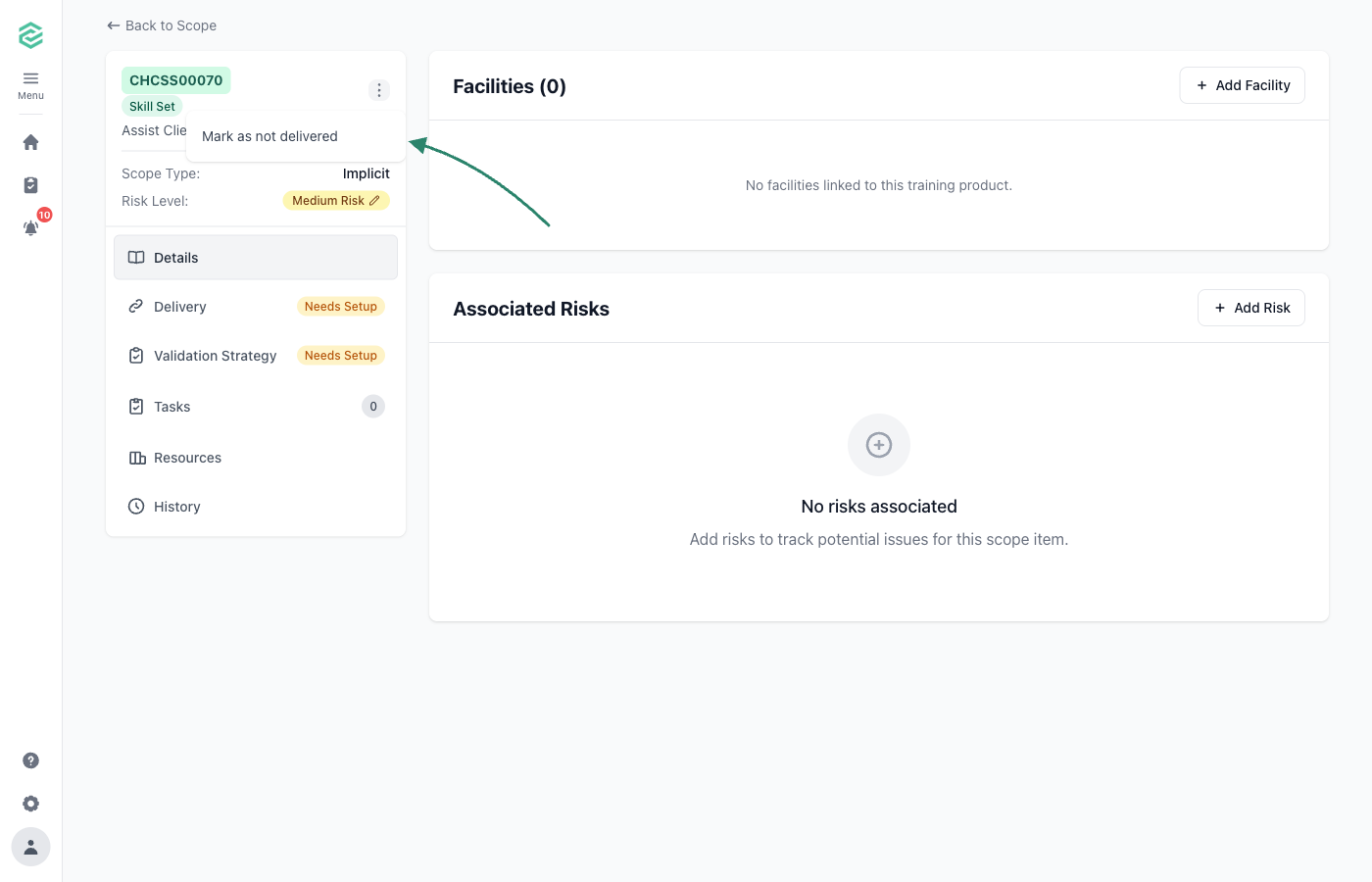
Choose Mark as not delivered and confirm
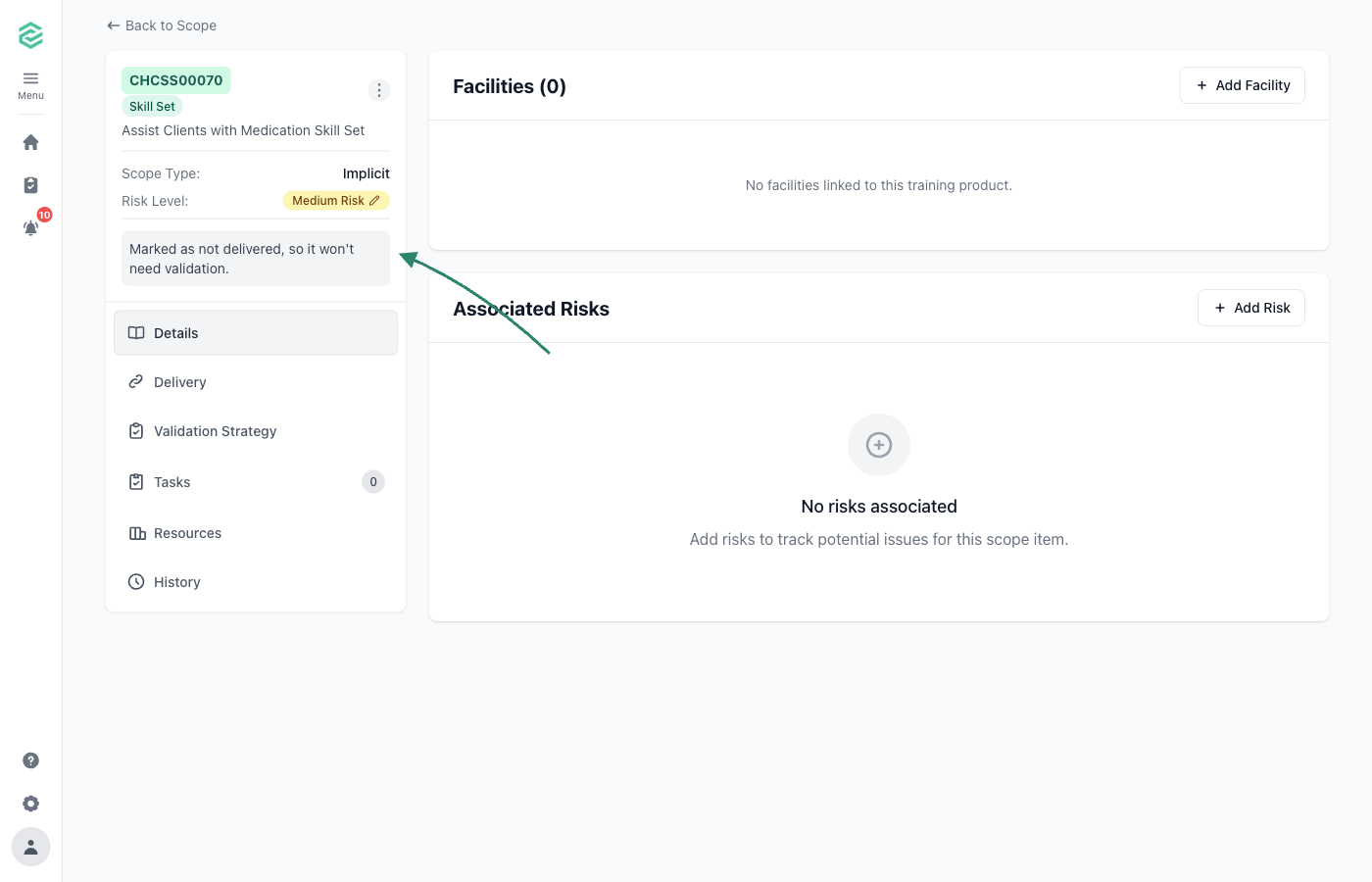
The sidebar confirms the skill set is now marked as not delivered, and it moves to the Inactive Scope tab
Common Issues
Can't find a unit in the dropdown
The unit might not be on your scope. Scope updates from training.gov.au are picked up automatically each night — check back after the next sync.
Complete Setup button is greyed out
Add at least one unit before completing setup.