
Getting Started
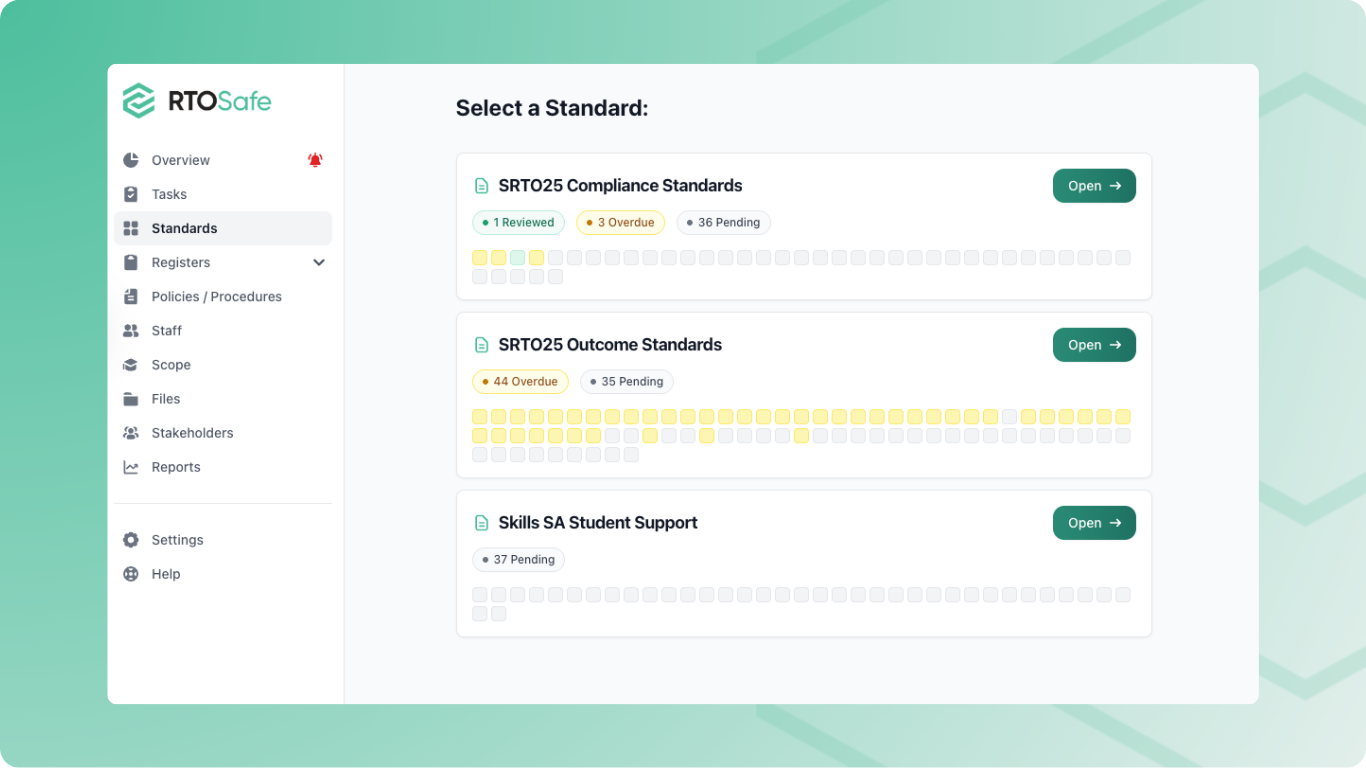
The Standards section helps you track how your RTO meets each requirement in your chosen standard set. You can review each clause, link evidence, and identify gaps in your policies.
What You Can Do
- Review clauses — Mark each clause as reviewed or needing action
- Link evidence — Attach policies and documents that demonstrate compliance
- Analyse gaps — Run AI-powered analysis to find where your policies don’t cover a requirement
- Schedule reviews — Set reminders to review clauses periodically
Navigating the Standards Section
1
Select a standard set
Go to Standards from the main menu.
You’ll see your active standard sets. Click one to view its clauses.
2
Browse clauses
The main view shows all clauses organised by Standard (1–7) and Category. Each row shows:
- The clause identifier (e.g., 1.1, 2.3a)
- The clause title
- Current compliance status
- Next review date
3
View a clause
Click any clause title to see the full requirement text, your linked evidence, and compliance history.
Understanding Compliance Status
Each clause shows one of these statuses:
| Status | Meaning |
|---|---|
| Reviewed (green) | You’ve reviewed this clause and it’s on track |
| Action Required (red) | You’ve reviewed this clause and identified issues to address |
| Not Reviewed (yellow) | This clause hasn’t been reviewed yet |
| Overdue (red) | The scheduled review date has passed |
The summary cards at the top show totals for each status.
Next Steps
- Review a Clause — Mark clauses as reviewed or needing action
- Link Evidence — Attach documents that demonstrate compliance
- Run a Gap Analysis — Find where your policies don’t cover requirements