Set Up Your Public Portal
Your Public Portal is the public side of RTOSafe: the pages students, employers and the public can open without logging in. It’s one switch that every public form and public policy depends on, so turn it on before you set up complaints or appeals.
What the Public Portal Powers
When the Public Portal is on, these can be shared publicly:
- your public complaints form
- your public appeals form, and the independent review link in appeal outcome emails
- public policies, such as your complaints and appeals policies
- shared feedback forms
- Quality Indicator surveys
If the Public Portal is off, every one of these shows “not found”, including links you’ve already put on your website or sent in emails.
Steps
Switch on the Public Portal
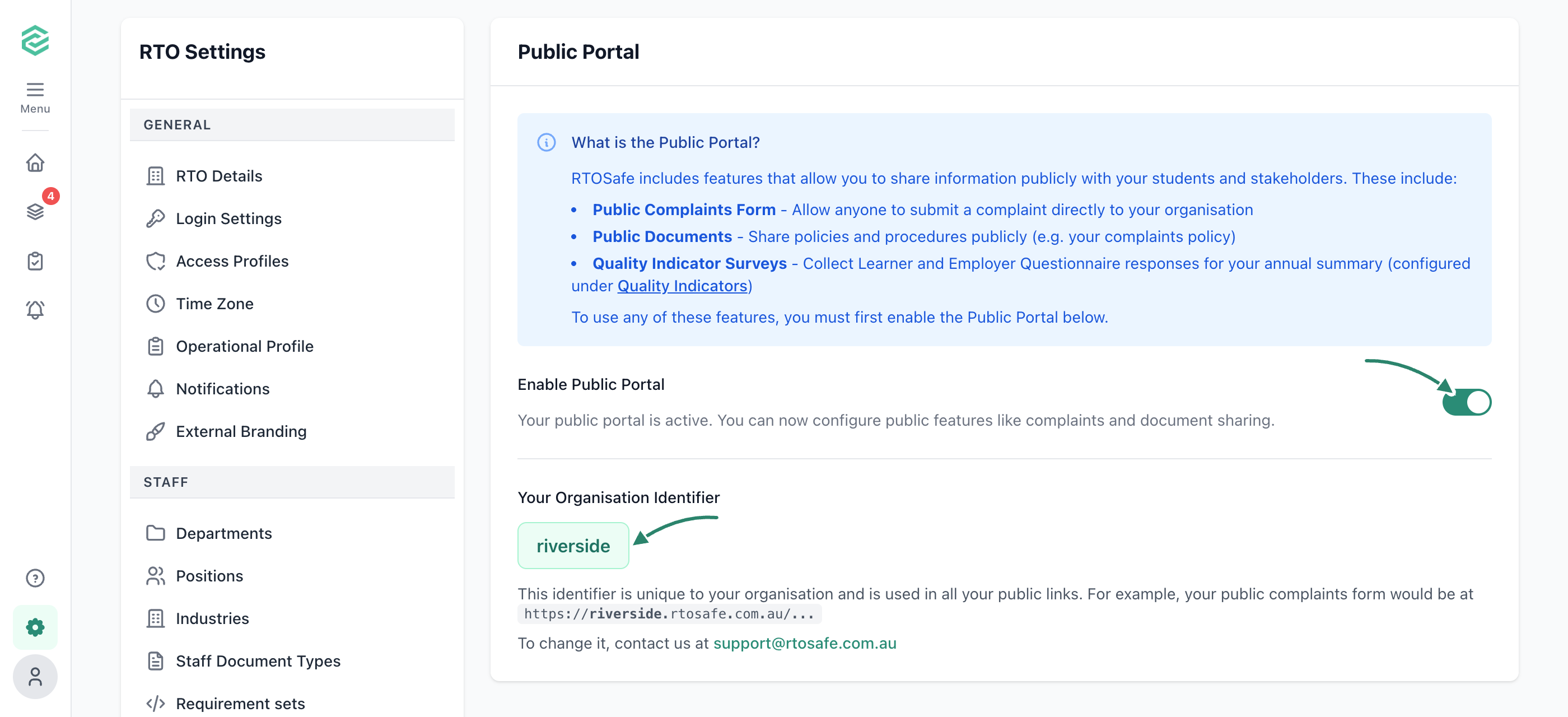
Go to Settings → Public Portal and turn on Enable Public Portal.
Check your organisation identifier
RTOSafe gives your organisation an identifier, based on your name, that appears in every public link, for example https://yourrto.rtosafe.com.au/.... To change it, contact support before you share any links.
Make your policies public
Forms link to your policies, so the policies themselves must be public. Make a policy public for each one students need to read, such as your complaints and appeals policies.
Set up the forms you need
Now you can set up complaints, set up appeals, share feedback forms or send Quality Indicator surveys.
What Happens Next
- Leave the Public Portal on while complaints or appeals are switched on.
- Your complaints and appeals settings only list public policies, and the policy you select there stays public until you choose a different one.
Common Issues
Why isn't my policy in the complaints or appeals settings list?
Only public policies are listed. Check the Public Portal is on, then make the policy public.
Why can't I make a policy private again?
It’s selected as your complaints or appeals policy, so it has to stay public. Choose a different policy in Settings → Complaints or Settings → Appeals first.
Why do my public links show "not found"?
The Public Portal has been switched off. Turn it back on in Settings → Public Portal and your existing links will work again.