
Add a PD Activity
Record workshops, courses, industry work, research, and other professional development in RTOSafe. Your activities build your PD record and count toward your PD plan and currency once they’re approved.
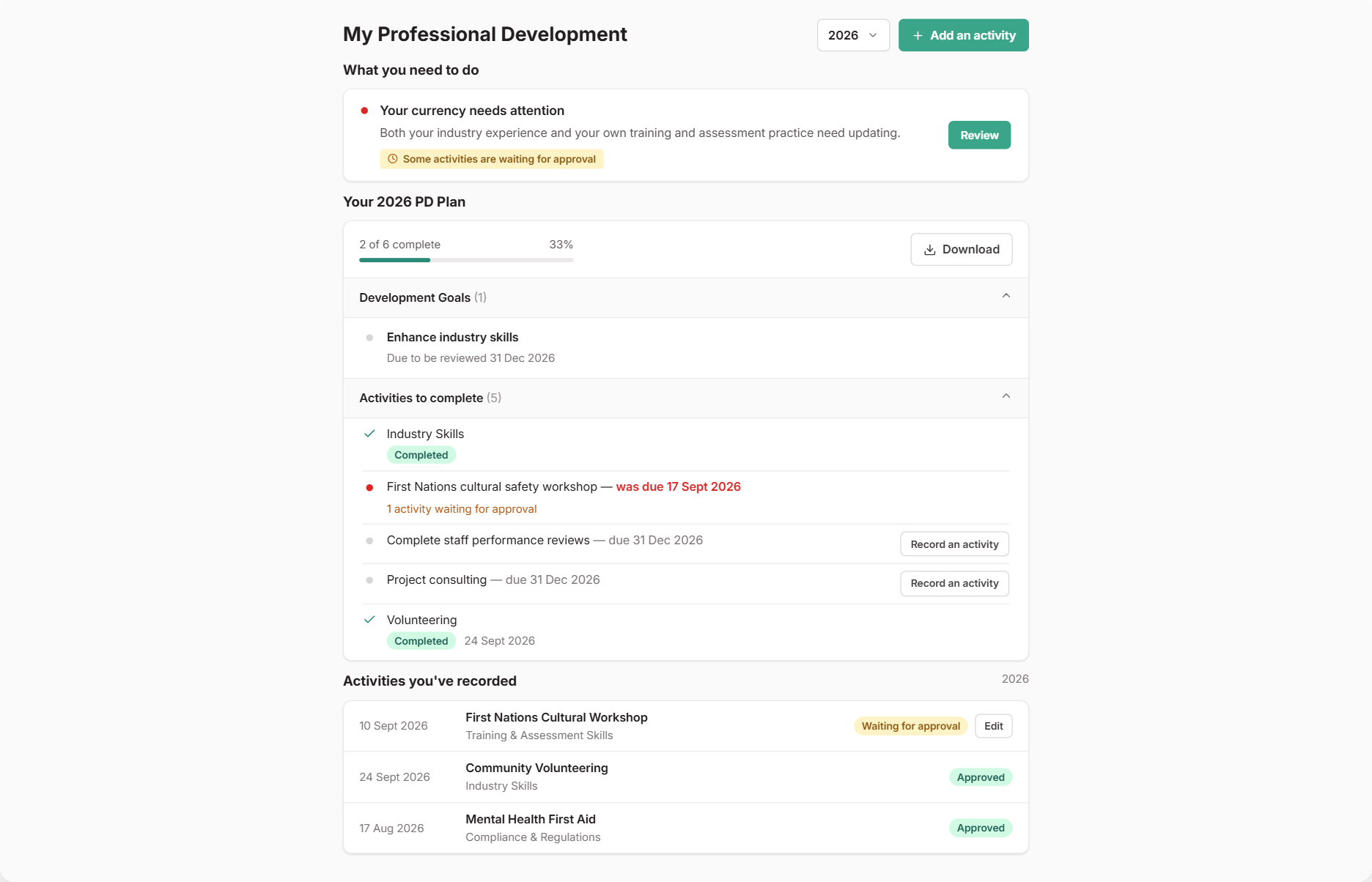
Adding an Activity
Open My Professional Development from the menu and select Add an activity
Choose the type of activity (workshop, course, conference, etc.)
Fill in the details — the form changes based on the type you chose
Upload any evidence (certificates, attendance records) using Add file
Select Add to My Professional Development
If you have units assigned to you, you’ll then be asked to link the activity to the units it relates to. This is how your industry PD counts toward your currency for each unit.
Recording Against Your PD Plan
If your RTO has set you a PD plan, you’ll see it under Your PD Plan. To log an activity for a specific goal, select Record an activity next to it. The activity is linked to that goal, and your progress updates once it’s approved.
What you need to do at the top of the page shows anything overdue or due soon, and any activities you need to update.
Checking Your Currency
If your RTO checks trainer currency, What you need to do also tells you when your currency needs attention. Select Review to open My Currency and see which units need more evidence, then record an activity straight from there.
What Happens Next
Your activity goes to your RTO for approval. You’ll see it listed as Waiting for approval until it’s reviewed.
- Approved: the activity counts toward your PD record, plan and currency
- Needs updating: you’ll be emailed feedback. Update the activity and resubmit it
You can edit an activity until it’s approved.
Activity Types
- Workshop — training sessions (online or in-person)
- Formal Course — qualifications or accredited units
- Conference — industry events
- Working in Industry — hands-on work experience
- Research — independent study on relevant topics
- Meeting — professional discussions
- Peer Collaboration — knowledge sharing with colleagues
Common Issues
| Problem | Solution |
|---|---|
| Can’t find my activity type | Choose the closest match and describe it in the activity details |
| Forgot to upload evidence | Edit the activity and add files before it’s approved |
| Activity needs updating | Check the feedback, make changes, and save again to resubmit |